In a world where we're all juggling a million tasks—work deadlines, doctor's appointments, kids' soccer practices, and that ever-growing to-do list—staying organized can feel like a full-time job. We've all been there: glancing at a phone that's dead, squinting at a paper calendar covered in scribbles, or even forgetting what day it is after a busy week. That's where the humble yet surprisingly powerful battery-powered calendar clock comes in. More than just a timepiece, this device blends the reliability of a clock with the functionality of a digital calendar, all without being tethered to a wall outlet. Whether you're a senior looking for clarity in daily schedules, a parent trying to keep the family on track, or a healthcare professional managing patient appointments, these clocks are designed to simplify life. Let's dive into what makes them tick (pun intended), their key functions, and why they might just become your new favorite household or office essential.
What Even Is a Battery-Powered Calendar Clock, Anyway?
Let's start with the basics. A battery-powered calendar clock is exactly what it sounds like: a clock that displays not just the time, but also the full date, day of the week, and often a navigable calendar—all powered by batteries. Unlike your grandma's old analog clock that only tells time (and maybe has a tiny date window that's impossible to read), these modern devices are designed to be
information hubs
. Think of it as a mini digital assistant that sits on your countertop, nightstand, or desk, quietly keeping you in the loop without needing to plug it in.
What sets them apart from, say, a smartphone or a computer? Simplicity. No scrolling through apps, no unlocking screens, no endless notifications. Just a clear, easy-to-read display that shows you the info you need at a glance. And because they're battery-powered, you can put them anywhere—no need to hunt for an outlet. Perfect for that empty spot on your kitchen shelf, your home office desk, or even a hospital room where wall outlets are scarce.
Key Functions: More Than Just "What Time Is It?"
Sure, they tell time—but so does your microwave. What makes battery-powered calendar clocks special is their
added functionality
. Let's break down the most useful features you'll find:
1. Time & Date Display (The "Duh" But Important Part)
Let's start with the basics: these clocks show the time (in 12-hour or 24-hour format, your choice) and the full date—usually spelled out, like "Monday, October 14, 2025." No more squinting at tiny numbers or guessing if "05/10" is May 10th or October 5th (we've all been there). The best ones use large, bold fonts with high contrast—think black text on a white background, or vice versa—to make reading easy, even from across the room or for those with vision impairments. Some models even let you adjust the brightness, so you can dim it at night if it's in your bedroom.
2. Calendar Navigation: Flip Through Days, Weeks, or Months
Here's where it gets fun: most calendar clocks let you
browse
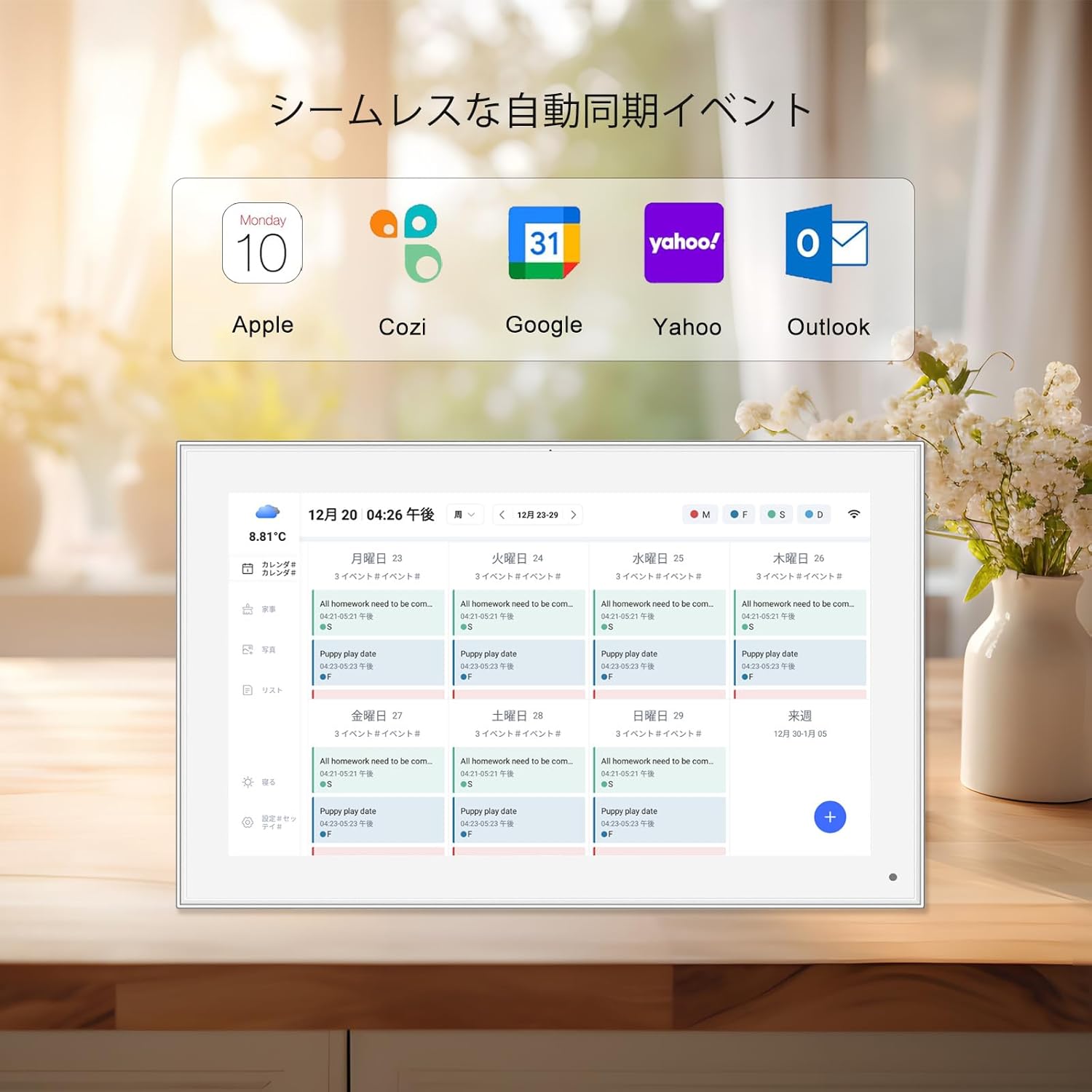
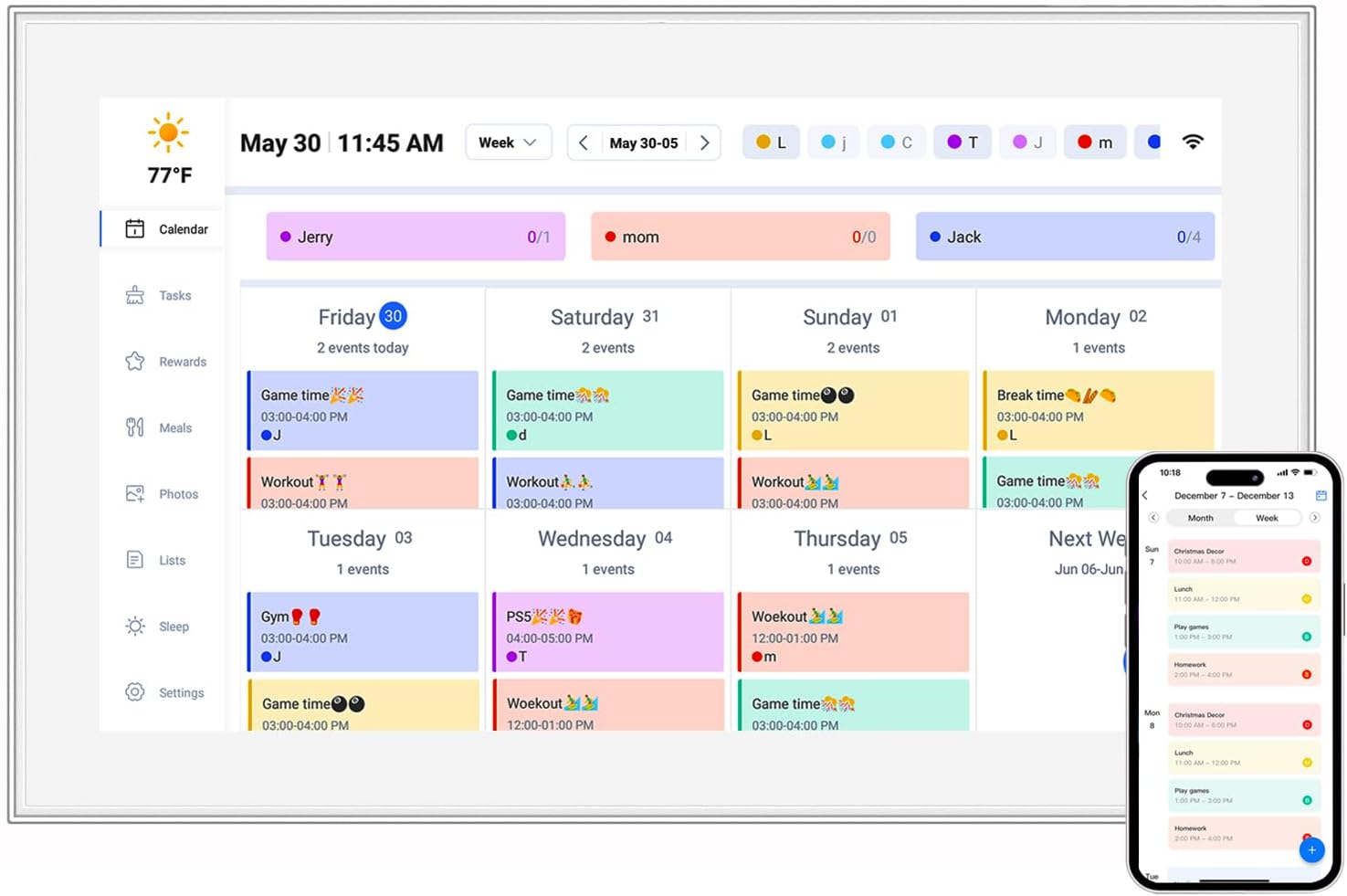
the calendar. Want to see what day Christmas falls on this year? Just press a button to scroll forward. Need to check if next Tuesday is the 20th? A quick tap (or button press) and you're there. This is a game-changer for anyone who plans ahead—parents scheduling playdates, seniors tracking medication days, or even students keeping an eye on exam deadlines. Some models, like the
15.6 inch digital calendar, even display a mini monthly view, so you can see the whole month at a glance, just like a wall calendar but without the paper waste.
3. Alarms & Reminders: Your Personal Nagger (In a Good Way)
Forgot to take your medication? Missed that 3 PM meeting? A battery-powered calendar clock can help with that. Many models include alarm features—think gentle beeps, chimes, or even customizable tones—to remind you of important tasks. Some go a step further with
repeating reminders
: set a daily alarm for 8 AM to take vitamins, or a weekly one for Sunday nights to prep for the week ahead. In healthcare settings, a
healthcare android tablet might integrate similar reminder functions, but a calendar clock is simpler and more accessible for patients who aren't tech-savvy.
4. Battery Performance: No More "Oops, It Died" Moments
Since they're battery-powered, the
battery life
is a big deal. Most use either rechargeable lithium-ion batteries or replaceable AA/AAA batteries. Rechargeable ones are great for convenience—just plug them in when they run low (usually via USB-C, which is standard these days). Replaceable batteries are good if you don't want to deal with charging cords. How long do they last? It depends on the model and features, but you can expect anywhere from a few days to several months. For example, a basic
10.1 inch digital calendar with minimal features might last 2-3 months on a set of AA batteries, while a larger model with a brighter screen or Wi-Fi connectivity (yes, some have that!) might need recharging every 2-3 weeks. The key is to look for models with "low battery indicators"—a little icon or beep that tells you when it's time to swap batteries or plug in.
5. Bonus Features: Because Why Not?
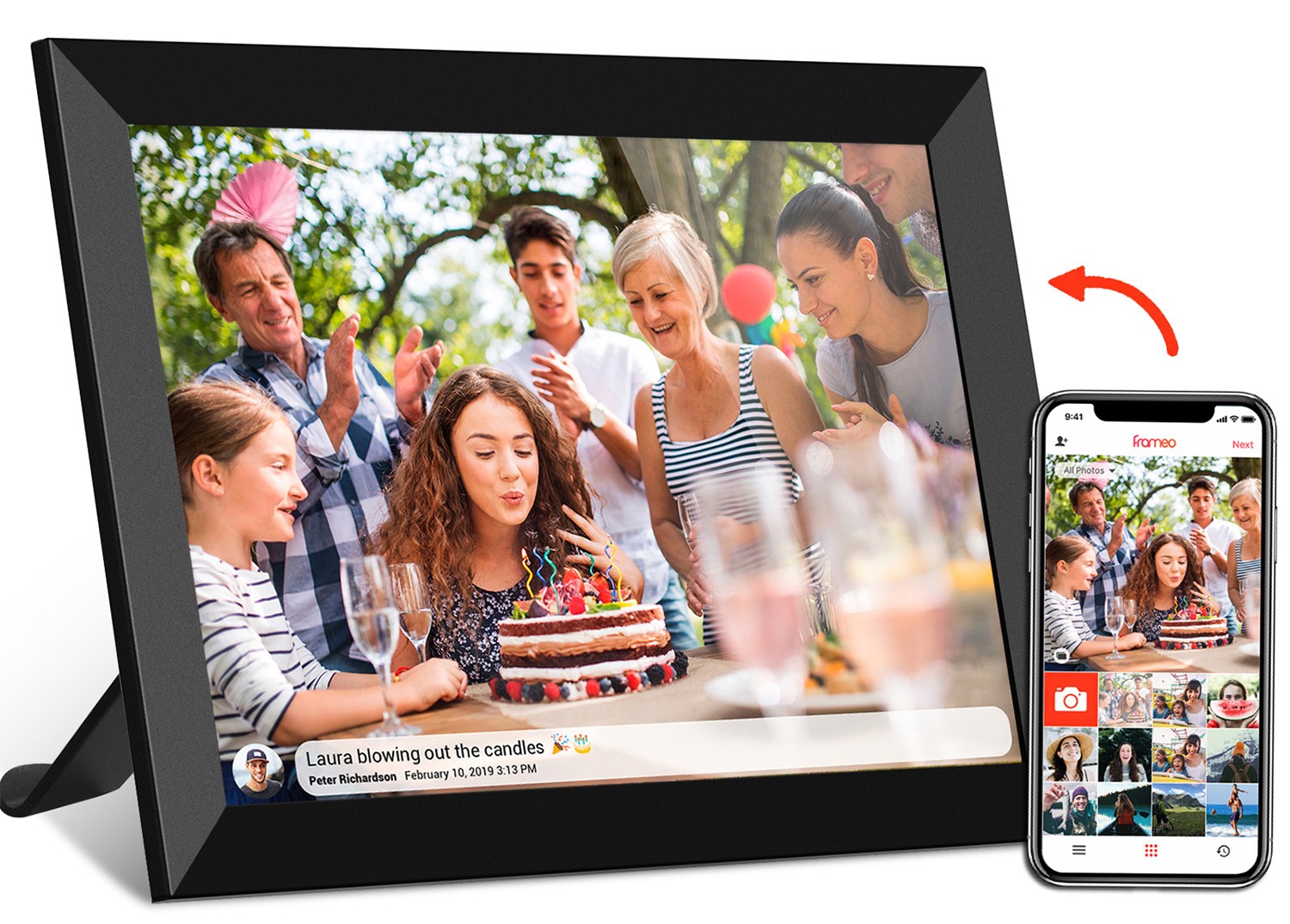
Some calendar clocks go above and beyond with extra perks. For example, some have built-in temperature sensors (so you can check the room temp without a separate device), while others let you display photos—turning your clock into a mini
digital photo frame (hello, family pics on your desk!). A few even have Wi-Fi, which lets them automatically update for daylight saving time or sync with online calendars (though this might drain the battery faster, so keep that in mind). One model I've seen even includes a "
calendar days clock" function specifically designed for people with dementia, showing the day of the week in large letters and phrases like "Today is Monday" to reduce confusion.
Who Actually Needs One of These? Spoiler: Probably You
You might be thinking, "Do I really need another gadget?" But once you start using a battery-powered calendar clock, it's hard to go back. Here are the folks who benefit most:
Seniors (Especially Those With Memory or Vision Challenges)
This is where calendar clocks shine brightest. For older adults, keeping track of time and dates can be tricky—especially for those with dementia, Alzheimer's, or vision issues. A
calendar days clock with large text and simple navigation reduces anxiety and confusion. Imagine your grandma being able to check the date herself without asking, or your grandpa setting a reminder for his daily walk. It's a small thing, but it boosts independence and confidence. Plus, since they're battery-powered, you can place one right by their bed or favorite chair, no outlet needed.
Busy Parents & Families
If your life revolves around soccer practice, piano lessons, parent-teacher conferences, and grocery runs, a calendar clock is like a second brain. Place one in the kitchen, and everyone can check the day's schedule at a glance. Kids can learn responsibility by checking the calendar for their chores, and you'll stop forgetting that "oh right, today's the field trip!" moment. Some models even let you set multiple alarms—so you can have one for "time to leave for school" and another for "dinner's ready."
Healthcare Settings (Clinics, Hospitals, Senior Living)
In hospitals or senior living facilities, keeping patients oriented is key to their well-being. A
healthcare android tablet might handle complex tasks, but a simple calendar clock by the bedside helps patients stay grounded. Nurses can set reminders for medication times, and patients can track how many days until their next visit with family. It's a low-tech, high-impact tool that improves patient comfort and reduces staff workload (no more answering "what day is it?" every five minutes).
Anyone Who Hates Clutter (Guilty as Charged)
Tired of paper calendars that get torn, coffee-stained, or outdated? A digital calendar clock replaces that stack of wall calendars, desk planners, and sticky notes with one sleek device. It's minimalist, modern, and always up-to-date. Plus, since it's battery-powered, you don't have a messy cord dangling down—just a clean, functional piece that blends into any decor.
Comparing Popular Models: Which One Should You Pick?
Not all calendar clocks are created equal. To help you choose, here's a breakdown of two popular options: the
10.1 inch digital calendar and the
15.6 inch digital calendar. Both are great, but they cater to different needs:
|
Feature
|
10.1 inch digital calendar
|
15.6 inch digital calendar
|
|
Screen Size
|
10.1 inches (compact, great for small spaces)
|
15.6 inches (larger display, easier to read from far away)
|
|
Font Size
|
Large (18-24px)
|
Extra large (24-30px)
|
|
Battery Type
|
Rechargeable lithium-ion (lasts ~2 weeks per charge)
|
Replaceable AA batteries (lasts ~2-3 months)
|
|
Key Features
|
Time/date, monthly view, 2 alarms, photo display
|
Time/date, weekly/monthly view, 5 alarms, temperature sensor, calendar days clock mode
|
|
Best For
|
Desktops, nightstands, small apartments
|
Living rooms, healthcare facilities, those with vision impairments
|
Of course, there are other models out there—like the 8 inch dementia digital day clock, which is specifically designed for seniors with cognitive challenges, or the
frameo digital photo frame that includes calendar functions (great if you want to display photos
and
track dates). The key is to pick one that fits your space, your needs, and your budget.
How to Choose the Right Battery-Powered Calendar Clock
With so many options, it can be overwhelming to pick the perfect one. Here's a quick checklist to help you decide:
-
Screen Size:
Go bigger if you need to read it from far away or have vision issues (15.6 inch is great). Smaller (10.1 inch) works for tight spaces.
-
Font & Contrast:
Look for large, bold fonts with high contrast (black on white is classic). Avoid fancy cursive or light gray text.
-
Battery Type:
Rechargeable is convenient; replaceable is better for long-term use without plugging in.
-
Features:
Do you need alarms? Photo display? Wi-Fi? Stick to the basics if you don't need extras (it'll save battery life!)
-
Ease of Use:
Buttons should be large and labeled clearly (no tiny "menu" icons). Touchscreens are okay, but physical buttons are often better for seniors.
-
Price:
You can find basic models for $30-$50, while fancier ones with Wi-Fi or photo features might cost $100-$150. Set a budget and stick to it.
Final Thoughts: Why a Battery-Powered Calendar Clock Might Just Change Your Life
At the end of the day, a battery-powered calendar clock is more than just a gadget—it's a
tool for connection and peace of mind
. It helps seniors stay independent, busy families stay organized, and healthcare facilities run smoother. It's simple, reliable, and designed with real people in mind—no confusing tech, no unnecessary bells and whistles, just the info you need, when you need it.
So, whether you're looking for a gift for your grandma, a way to declutter your desk, or a tool to help your clinic's patients stay oriented, consider adding a battery-powered calendar clock to your life. Trust me—once you start using one, you'll wonder how you ever lived without it. And with options like the
10.1 inch digital calendar for tight spaces or the
15.6 inch digital calendar for maximum readability, there's truly something for everyone. Here's to staying on time, on track, and never missing a beat (or a date) again!