We've all been there: rushing out the door in the morning, only to realize halfway to work that you forgot to take your medication. Or maybe you missed your best friend's birthday because it slipped your mind between back-to-back meetings. In a world that runs on endless to-do lists, appointments, and deadlines, keeping track of life's little (and big) moments can feel like herding cats. But what if there was a simple, reliable tool that didn't require scrolling through a phone or fumbling with complicated apps—something that sits quietly in your home or office, gently nudging you to remember what matters most? Enter the battery-powered calendar clock, a humble yet powerful device that's changing the game with its intelligent reminder function. More than just a clock or a calendar, this gadget is like having a personal assistant who never takes a day off, ensuring you stay on track without the stress. Let's dive into how this clever tool works, why its battery-powered design makes it a standout, and how it's transforming daily life for everyone from busy professionals to seniors and families.
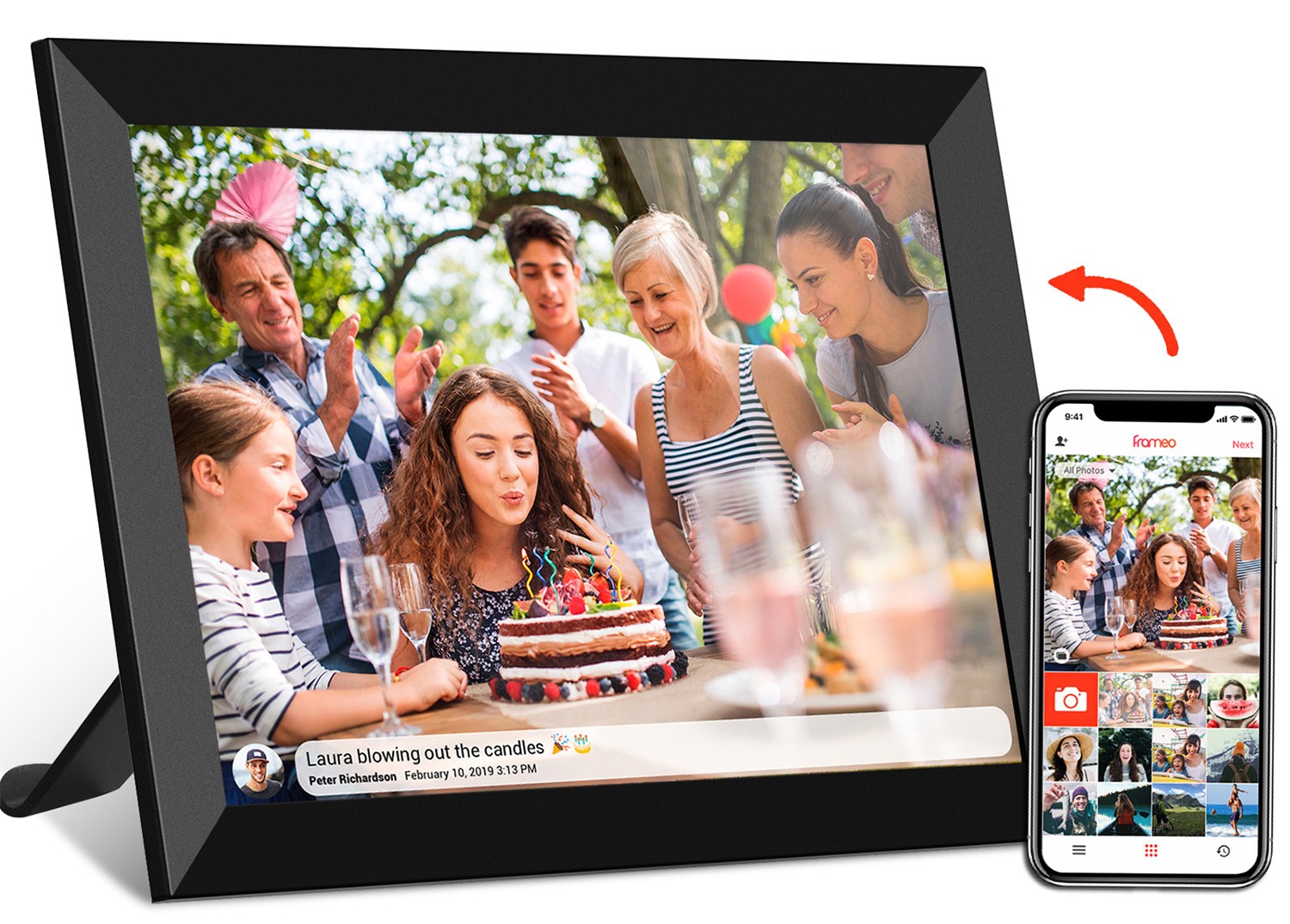
Before we get into the star feature—those intelligent reminders—let's start with the basics. A battery-powered calendar clock is exactly what it sounds like: a device that combines the functionality of a clock, a calendar, and a reminder system, all powered by batteries. But don't let the simplicity fool you. Unlike the clunky desk calendars of yesteryear or the basic alarm clocks that only beep at 6 AM, these modern devices are packed with smart features designed to make your life easier. Think of it as a digital hub for your daily schedule, with a screen that displays the current time, date, day of the week, and even upcoming events—all at a glance.
At first glance, you might mistake it for a small digital picture frame or a compact tablet, but its focus is entirely on time management and memory support. Most models come with a clear, easy-to-read screen (no squinting required!) and intuitive buttons or touch controls, making them accessible even for those who aren't tech-savvy. And because it's battery-powered, you can place it anywhere—on your kitchen counter, bedside table, home office desk, or even in a hospital room—without worrying about finding a nearby power outlet. That portability is a game-changer, especially for anyone who needs reminders in multiple areas of their life.
Now, let's talk about the feature that makes this device a must-have: the intelligent reminder function. This isn't just a basic alarm that goes off at a set time. It's a customizable, adaptable system that learns (or rather, lets you program) what you need to remember and when—then alerts you in a way that's hard to miss. Let's break down the types of reminders it can handle and how it works in real life.
The beauty of the intelligent reminder function is its versatility. Whether you need to remember to take medication twice a day, pick up the kids from soccer practice, or call your mom on her birthday, this clock has you covered. Here are some of the most common (and helpful) reminder types:
Setting up reminders is surprisingly simple, even if you're not a tech whiz. Most models have a user-friendly interface—either with physical buttons or a touchscreen—where you can navigate to the "Reminders" menu. From there, you'll input the details: what the reminder is for, the date and time, how often it repeats (once, daily, weekly, monthly, annually), and the type of alert you want (sound, visual, or both).
When the time comes, the clock springs into action. Alerts can be a combination of beeps, chimes, or even a soft voice (on higher-end models) saying, "Time to take your medication!" Meanwhile, the screen will display a clear message, like "Dentist Appointment in 15 Minutes" or "Happy Birthday, Sarah!" The visual cue is key—unlike phone alarms that can be ignored, the clock is right there in your line of sight, making it hard to miss. And if you're worried about the alert being too loud (or too quiet), most models let you adjust the volume to fit your needs.
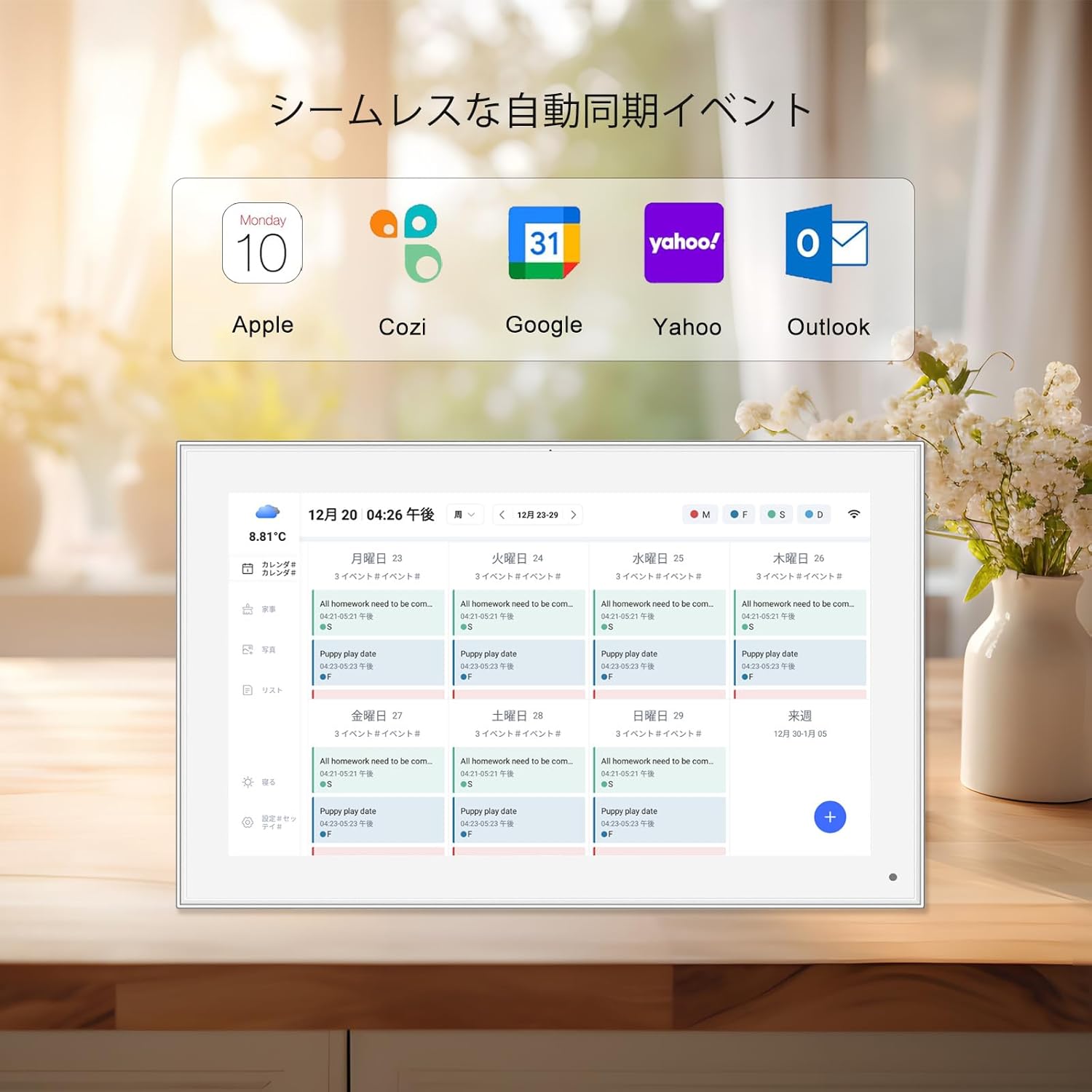
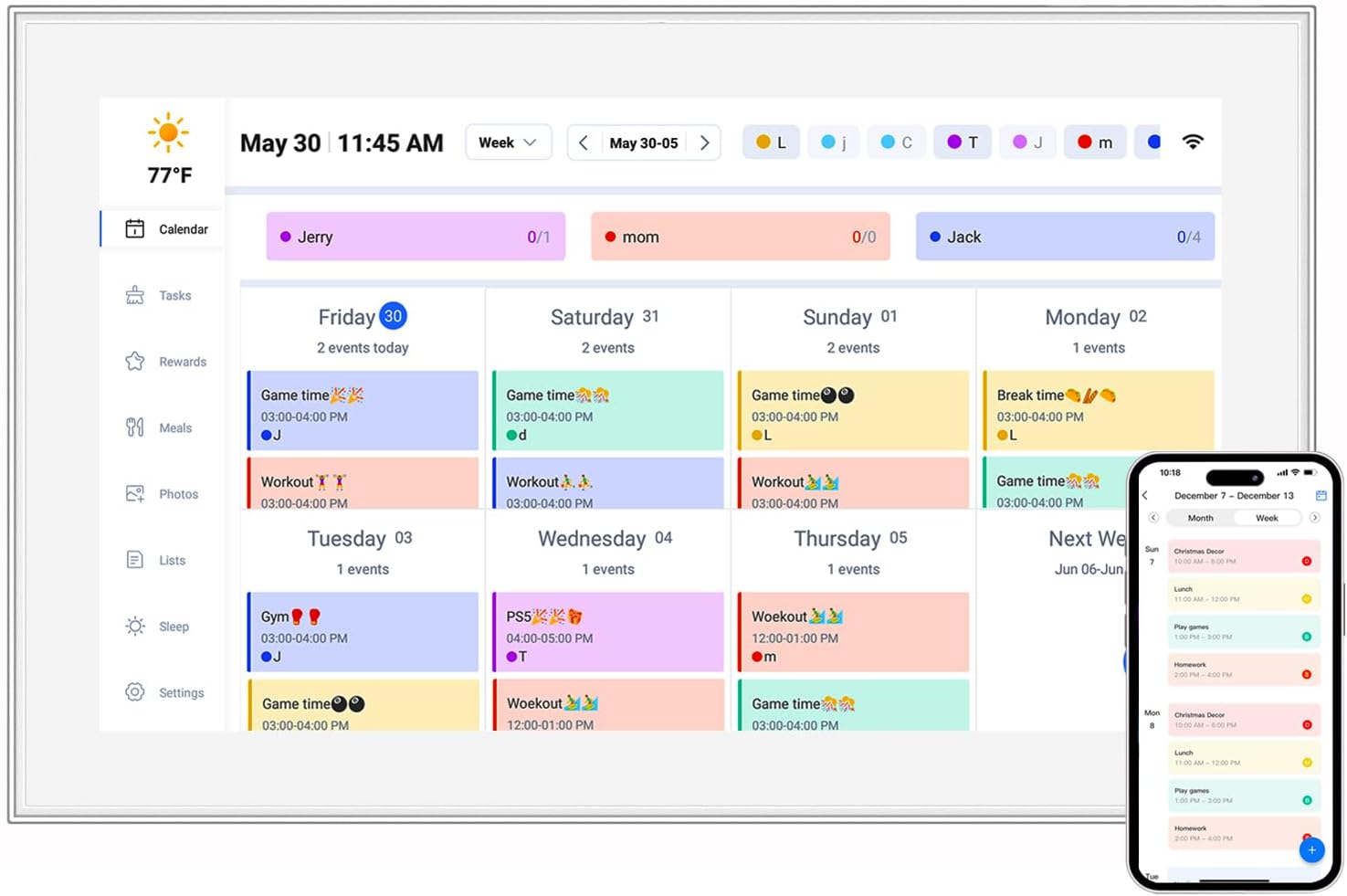
Another smart feature? Some advanced calendar clocks can sync with your phone or computer via Wi-Fi (though even non-Wi-Fi models work great with manual input). This means if you add a meeting to your phone's calendar, it can automatically pop up on your clock's reminder list—no double-entry needed. For families, this is perfect: Mom can input soccer practice reminders, Dad can add work deadlines, and the kids can even set reminders for their homework (okay, maybe that's wishful thinking, but we can hope!).
You might be thinking, "My phone has reminders—why do I need a separate battery-powered clock?" Fair question. But here's the thing: Phones die. They get lost under couch cushions. They're silenced during meetings. And let's be honest—how often do you leave your phone in another room and miss an alert? A battery-powered calendar clock solves all these problems, and its power source is a big part of that.
First, portability . Since it doesn't need to be plugged in, you can move it wherever you need reminders most. Keep it in the kitchen for morning medication reminders, then move it to your home office for work meeting alerts in the afternoon. If you're traveling, toss it in your suitcase—no need to hunt for an outlet in a hotel room. For seniors living in assisted care facilities or hospital patients, this means having a familiar reminder system wherever they go.
Second, battery life . Most calendar days clock models run on AA or AAA batteries that last for months—even up to a year—with regular use. That means you don't have to remember to charge it every night like your phone. And if there's a power outage? No problem. While your phone might die (or you might be forced to conserve battery), your calendar clock will keep ticking and reminding you of what's important. For anyone who relies on medication reminders or time-sensitive appointments, that peace of mind is priceless.
Third, simplicity . Phones are amazing, but they're also full of distractions—social media, emails, games—that can pull your attention away from the reminder itself. A battery-powered calendar clock has one job: to keep you on track. No notifications popping up, no apps to close, no passwords to remember. Just a clear, focused tool that does what it's supposed to do.
Of course, a "calendar clock" wouldn't be complete without a robust calendar function—and this is where the device really shines. The digital calendar isn't just there to display the current date (though it does that beautifully). It works hand-in-hand with the reminder function to give you a full picture of your day, week, and month. Let's break down how this integration makes reminders even more effective.
First, the date display . The screen shows the current day, date, and even the month and year, so you always know where you are in time. For anyone who struggles with "date confusion" (we've all had those days where we forget what day it is!), this is a simple but powerful feature. And because the screen is designed to be easy to read—with large, bold numbers and high contrast—even those with visual impairments can glance at it and know exactly what date it is.
But the calendar does more than just show today's date. It also highlights upcoming reminders . For example, if you have a doctor's appointment on the 15th, the calendar will mark that date with a small icon or a note, so you can see it coming days in advance. Some models even let you view a weekly or monthly calendar view, scrolling through to see all your reminders at a glance. This big-picture view helps you plan your time better—no more double-booking or feeling overwhelmed by last-minute alerts.
And let's not forget about customization . You can choose how the calendar looks: some prefer a simple "day/month/year" display, while others like seeing the full week laid out. Some models even let you add personal touches, like changing the background color or choosing between digital and analog clock faces. The goal is to make the calendar feel like yours—something you actually want to look at, not just a utilitarian tool.
Now that we've covered the "why" of battery-powered calendar clocks, let's talk about the "which." One of the first decisions you'll make when shopping is screen size—and two of the most popular options are the 10.1 inch digital calendar and the 15.6 inch digital calendar. Which one is right for you? It all depends on your space, your needs, and who will be using it.
Let's start with the 10.1 inch digital calendar . This is the compact, "fits anywhere" option. It's perfect for small spaces like a nightstand, bathroom counter, or crowded desk. The screen is large enough to read easily from a few feet away (say, across the bedroom or kitchen table) but not so big that it dominates the room. If you're looking for a personal reminder system—something just for you—this size is ideal. It's also great for travel, as it's lightweight and easy to pack. For seniors with limited space in their living quarters or busy professionals who want a reminder tool at their desk without cluttering it, the 10.1 inch model hits the sweet spot.
On the other hand, the 15.6 inch digital calendar is all about visibility and shared spaces. This larger screen is perfect for families, offices, or healthcare settings where multiple people need to see reminders. Imagine placing it in a family kitchen: everyone can glance at it to see who has soccer practice, when dinner is, or that tomorrow is trash day. In an office break room, it can display team meetings, deadlines, or company events for everyone to reference. For seniors with visual impairments, the bigger text and larger icons on a 15.6 inch screen can make a huge difference in readability—no squinting required. It's also great for anyone who wants their reminders to be impossible to miss; the larger screen naturally draws the eye, ensuring you don't overlook important alerts.
To help you decide, let's compare the two side by side:
| Feature | 10.1 Inch Digital Calendar | 15.6 Inch Digital Calendar |
|---|---|---|
| Best For | Personal use, small spaces, travel | Shared spaces (families, offices), visual impairments, high visibility needs |
| Screen Size | Compact (about the size of a small tablet) | Larger (similar to a small laptop screen) |
| Ideal Placement | Nightstand, bathroom, desk, small kitchen counter | Family kitchen, office break room, living room, healthcare facilities |
| Readability Distance | Up to 5-6 feet | Up to 10-12 feet |
| Battery Life | Slightly longer (smaller screen uses less power) | Slightly shorter (larger screen uses more power, but still lasts months) |
| Portability | High (lightweight, easy to move) | Moderate (bulkier, but still movable) |
At the end of the day, there's no "better" size—just the right size for your needs. If you're unsure, ask yourself: Who will use this clock? Where will it live? How far away will I be when I need to read it? Answering those questions will help you pick between the 10.1 inch and 15.6 inch models (or even other sizes, like the 7 inch or 21.5 inch, if those fit your space better).
To really understand the impact of battery-powered calendar clocks, let's look at some real-life scenarios where the intelligent reminder function has made a tangible difference. These aren't just "nice-to-have" gadgets—for many people, they're essential tools that improve safety, reduce stress, and strengthen relationships.
Meet Margaret, an 82-year-old retiree who lives alone and manages three daily medications for hypertension and arthritis. Before getting a 10.1 inch digital calendar clock, she often forgot to take her morning pill, leading to dizzy spells and trips to the doctor. Her daughter, Lisa, worried constantly and called twice a day to remind her—a system that left both feeling stressed. Then Lisa bought Margaret a battery-powered calendar clock with medication reminders. Now, Margaret sets her reminders once (8 AM, 12 PM, 8 PM) and the clock beeps softly and displays "Time for your pills!" at each interval. Margaret no longer misses doses, and Lisa can stop stress-calling—she checks in to chat, not to nag. "It's given me my independence back," Margaret says. "I don't feel like a burden anymore."
The Patel family—mom Priya, dad Raj, and two kids, Aiden (12) and Mia (9)—are a classic busy family. Between Aiden's soccer practice, Mia's ballet lessons, Raj's work travel, and Priya's volunteer commitments, their calendar is always full. They tried using a shared phone app, but with everyone's schedules changing last minute, it was hard to keep up. Then they invested in a 15.6 inch digital calendar clock for their kitchen wall. Now, everyone adds their events to the clock: Mia's ballet on Tuesdays and Thursdays, Aiden's soccer on Saturdays, Raj's work trips marked in red. The clock reminds them 30 minutes before each event, so no one is scrambling to get out the door. "We used to have so many arguments about who forgot what," Priya says. "Now the clock does the reminding, and we can focus on being a family instead of a team of event planners."
At Greenfield Medical Clinic, staff were struggling to keep track of patient appointments, staff breaks, and medication times for in-clinic patients. Nurses relied on handwritten notes and memory, leading to occasional mix-ups and delays. The clinic administrator, Dr. Lee, decided to place 10.1 inch digital calendar clocks in each exam room and the nurses' station. Now, each clock displays patient appointment times, medication reminders for patients staying overnight, and even staff break schedules. "It's reduced errors by 70%," Dr. Lee reports. "Nurses no longer have to juggle five different lists—they glance at the clock, and they know exactly what needs to happen next. Patients feel more cared for, and staff feel less stressed."
We get it—your phone has a calendar and reminders app. So why invest in a separate device? Let's break down the key advantages of a battery-powered calendar clock over relying on your smartphone:
Now that you're convinced a battery-powered calendar clock is a game-changer, how do you pick the right one? Here are the key factors to consider:
In a world that's always rushing, the battery-powered calendar clock with intelligent reminder function is a quiet hero. It doesn't flash fancy notifications or demand your attention 24/7. Instead, it sits patiently, doing the hard work of remembering so you can focus on living. Whether you're a senior trying to stay independent, a parent juggling a million tasks, or a professional drowning in meetings, this device simplifies life in the best way—by keeping you on track without the stress.
So, if you've ever forgotten a medication dose, missed an appointment, or wished there was a better way to keep up with life's little details, consider adding a calendar days clock to your home or office. It's not just a clock. It's a reminder that you're in control of your time—and that's a powerful thing.